

Use Cases
- Security: Track API key creation/deletion and user access patterns.
- Compliance: Maintain records of who changed what and when.
- Troubleshooting: Understand what changed and identify who made specific modifications.
- Team Management: Monitor member activities and permission changes.
Accessing Audit Logs
Go to Settings > Security > Audit Logs to view activity history.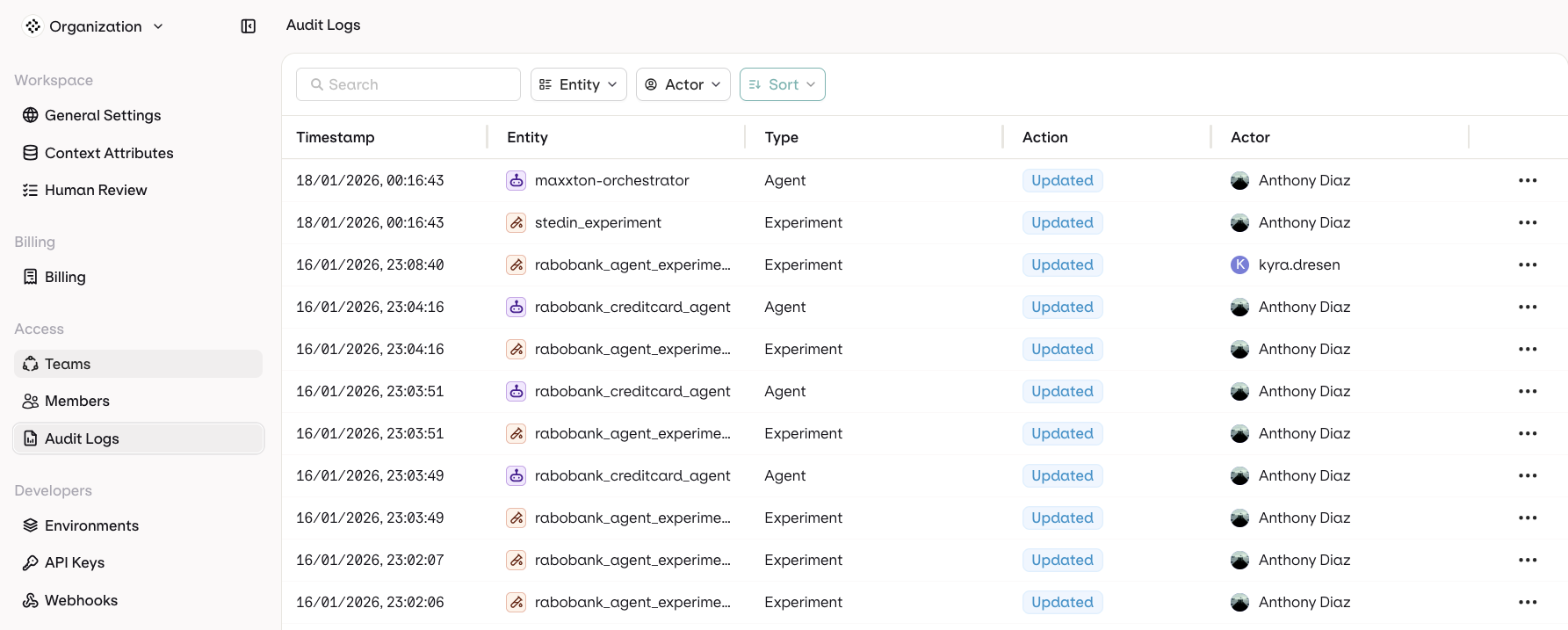
Audit Logs table with timestamps, entities, actions, and actors
POST /v2/audit-logs/query filters, sorts, and paginates them. See the Query audit logs API reference. To download a range as a file for a SIEM or a warehouse, see Export audit logs.
Log Columns
- Timestamp: When the action occurred
- Entity: What was affected. See Tracked Entities for the full list
- Type: Category of the resource
- Action: What happened. See Tracked Actions for the full list
- Source: Where the action came from. See Sources for the full list
- Actor: Who performed the action
Sources
The Source column records how the action reached orq.ai. The Key column is the internal identifier.
Records written before this column existed have no source.
Tracked Entities
The Key column is the internal identifier for each entity type.Tracked Actions
The Key column is the internal identifier for each action.Filter Options
Use the following filters to find audit logs:- Entity Type
- Actor who performed the action
- Source the action came from
Export audit logs
POST /v2/audit-logs/export streams every record that matches the request’s filters and sorting as a download: audit-logs-<date>.csv by default, or audit-logs-<date>.json with ?format=json. The JSON export carries the full record; the CSV export carries the columns created_at, entity_type, action, actor_id, actor_type, actor_display, actor_ip, origin, request_id, project_id, entity_id, and metadata.
cURL
filters and sorting objects as the query API, where the filter paths, types and operators are listed; the date value accepts YYYY-MM-DD or RFC 3339 bounds. The endpoint is API-only: the console has no download control.
The endpoint accepts a management API key or an authenticated workspace admin session, and requires the audit logs feature: a workspace without it receives 402.
Destinations
Destinations stream audit log entries to an HTTPS endpoint as they are recorded, so a SIEM or a warehouse holds the record without polling the export endpoint. The section is visible to workspace admins, in Settings > Security > Audit Logs, through the Destinations button.Create a destination
Select Destinations, then Add destination, and fill in:- Name (required): a label for the receiving system, unique within the workspace.
- Endpoint URL (required): the HTTPS endpoint that receives the events. Private and local addresses are rejected, so the endpoint must be publicly reachable.
- Description (optional): what the receiving system does with the events.
Verify a delivery
Every request carries anX-Orq-Audit-Signature header in the form t=<unix>,v1=<hex>. To verify that the request came from Orq.ai, recompute an HMAC-SHA256 over t + "." + X-Orq-Audit-Delivery-Id + "." + body with the signing secret and compare it to v1.
Deliveries, test, and replay
Deliveries and replay in the destination’s menu shows each event with its status, the number of attempts, the HTTP status of the last attempt, and when the next attempt is due while the event is pending.- Send test event: sends one event to the endpoint, to confirm the receiver accepts a signed request.
- Replay: queues retained events in the chosen window (Last hour, Last 24 hours, Last 7 days, or Last 30 days) for delivery again, for example after an outage on the receiving side. Replays reuse the original event ID and are marked as replays in the delivery record.
Pause and rotate
The Status column reads Active while a destination delivers events. Pause deliveries keeps them queued instead of sending, and Resume deliveries starts sending again. Rotate signing secret issues a new secret and keeps the last four characters visible in the list, so the receiver can tell one secret from another. The rotation time is recorded on the destination.Immutability
Audit log entries are append-only: Orq.ai records each action automatically, and no interface, API, or role can edit or delete an entry. This includes organization admins. The guarantee is enforced at the application level:- The audit log surface is read-only: query, filter, sort, and file export. Destinations deliver copies outward and never write to the log.
- Entries are written only by internal Orq.ai services through insert-only paths.
- The only automated deletion is retention-based: entries are removed when the audit retention window expires. See Data Retention.