Create workspace-scoped management keys in Orq.ai to authenticate admin operations on API keys, budgets, projects, and workspace settings.
Overview
Management Keys are only available to workspace admins. The Management Keys page is not visible to non-admin members.
Management Keys are workspace-scoped tokens for authenticating workspace administration operations. Each key grants read or write access to every capability in Capabilities.
Management Keys cannot be used to query models or agents. Use a standard API Key for inference and product endpoints.
Use cases
Automating workspace provisioning via the API.
Delegating API key rotation to a deployment pipeline without granting full admin access.
Letting a billing automation script read and update Budgets without exposing API key management.
Workspace administration endpoints
API keys cannot administer API keys or Budgets, so those two families need a Management Key. Project and Smart Router management is open to both key types: an all-projects API key with write access to the project and smart-router capabilities can create, update, and delete them, a single-project key cannot, and a Management Key needs the project or smart-router write grant.
Endpoint family
Access
/v2/api-keys*
List, retrieve, create, update, and delete API keys. /v2/api-keys/capabilities is public.
/v2/budgets*
List, retrieve, create, update, reset, and delete Budgets.
/v2/projects*
An all-projects API key manages Projects across the workspace; a single-project key can only list or retrieve its own Project.
/v2/smart-routers*
An all-projects API key lists, creates, updates, enables, disables, and deletes Smart Routers across the workspace.
/v3/model-fusions*
List, retrieve, create, update, enable, disable, and delete Model Fusions.
/v2/evaluators*
List, retrieve, create, update, and delete Evaluators.
/v2/workspace-settings
Retrieve or update Workspace Settings according to the key capability.
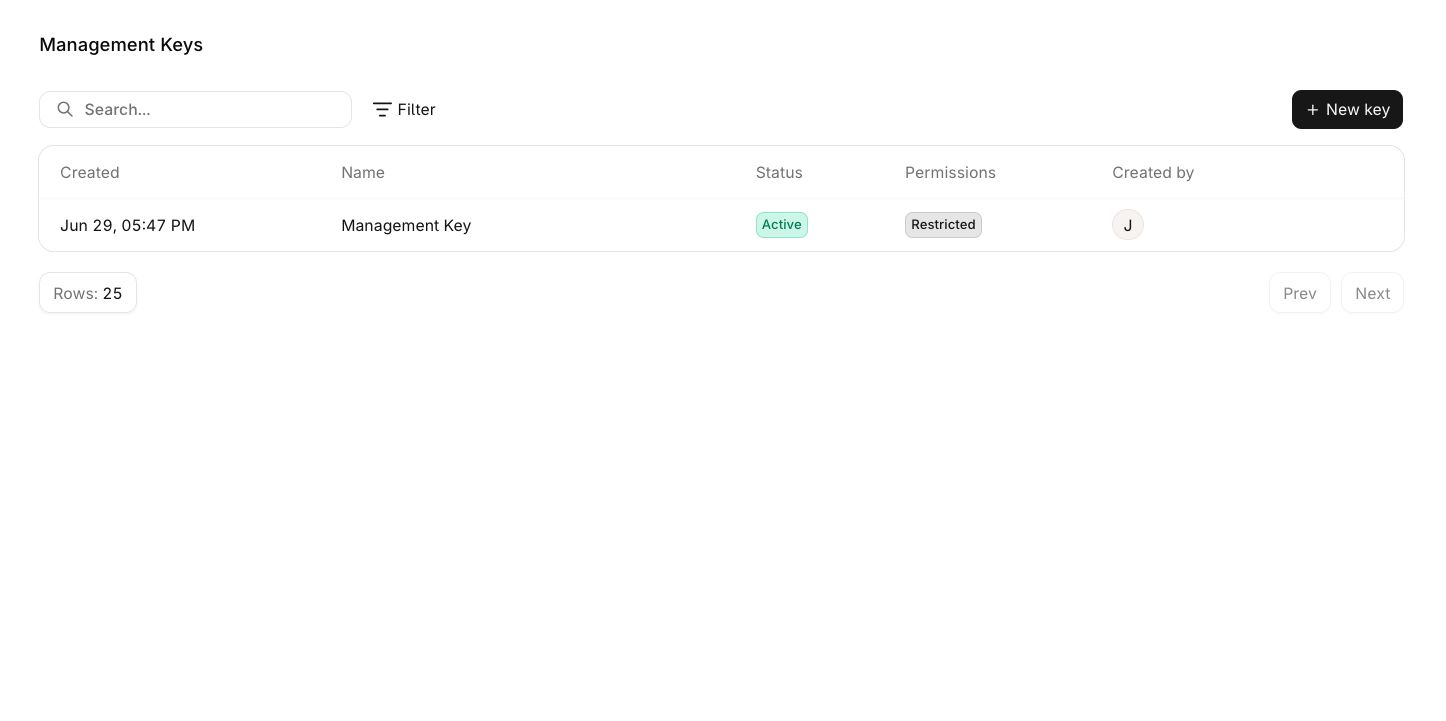
View Management Keys
Open Management Keys in the Settings sidebar, under Organization, to view all keys in the workspace.
The Management Keys list showing key name, status, permission mode, and creator.
Click any row to open the edit panel and update the key’s name, permissions, or expiration date. Hover a row and click for additional options:
Edit: open the edit panel to update the key’s name, permissions, or expiration date.
Duplicate: create a new key with the same permissions.
Delete: permanently remove the key from the workspace.
Create a Management Key
1
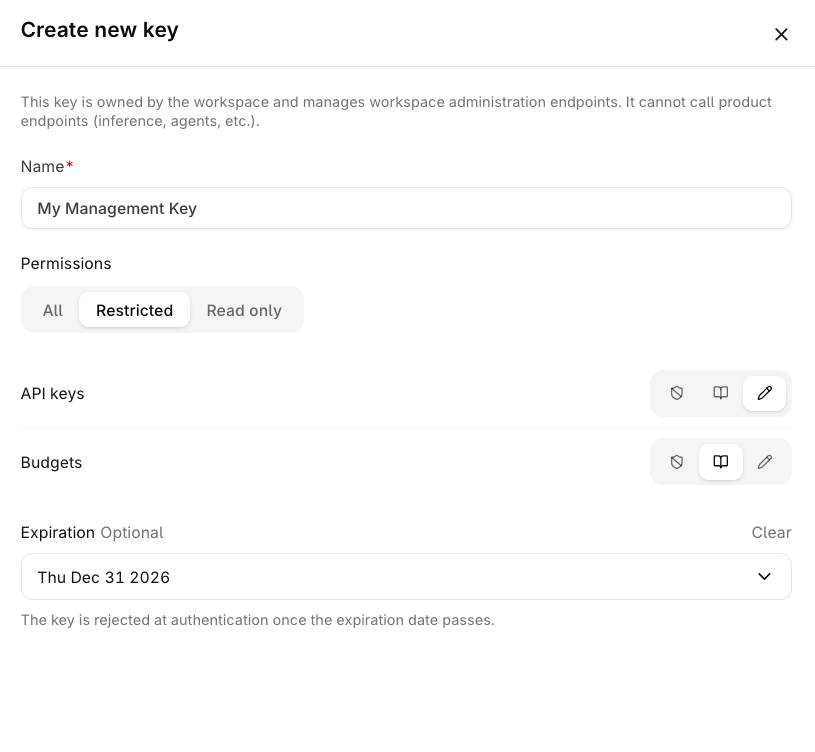
Open the creation panel
In Settings → Organization, open Management Keys and click Key.
The Create new key panel with fields for name, permissions, and expiration date.
2
Enter a name
Enter a Name for the key (required, max 128 characters).
3
Set permissions
Select a Permissions mode, default is All. See Permission modes below.
4
Set expiration (optional)
Set an Expiration date if the key should stop authenticating after a certain date.
5
Create and copy the key
Click Create key. A Save your key panel appears showing the token.
The token is only shown once. Store it securely before closing this panel. It cannot be retrieved afterwards.
Permission modes
Mode
Description
All
Full read and write access to all capabilities.
Restricted
Configure access per capability. Each capability can be set to None, Read, or Write independently.
Read only
Read access to all capabilities.
Capabilities
The Restricted mode shows one row per capability. None grants no access to that capability, Read lists and views its resources, and Write also creates, updates, and deletes them. A ✗ marks a level the picker omits for that capability, which then takes only None or Read.
Capability
Read
Write
API keys
✓
✓
Audit log destinations
✓
✓
Audit logs
✓
✗
Billing
✓
✗
Budgets
✓
✓
Environments
✓
✓
Evaluators
✓
✓
Guardrail rules
✓
✓
Hub
✓
✗
Logs
✓
✗
Management keys
✓
✓
MCP gateways
✓
✓
MCP servers
✓
✓
Model fusions
✓
✓
Models
✓
✓
Notifiers
✓
✓
OpenTelemetry destinations
✓
✓
Projects
✓
✓
Reporting
✓
✗
Routing rules
✓
✓
Secrets
✓
✓
Smart routers
✓
✓
Teams
✓
✓
Traces
✓
✗
Users
✓
✓
Vaults
✓
✓
Workspace
✓
✓
Workspace models
✓
✓
Management Keys are not available through MCP. Use the REST API to manage keys programmatically. See Manage keys programmatically for the key lifecycle, permission model, and SDK examples.
Was this page helpful?
Assistant
Responses are generated using AI and may contain mistakes.