

v4.16.0 Beta
A Monitor is a custom page of widgets, each charting one query over Traces, Metrics, or Logs. Put cost per model, p95 latency, and Evaluator pass rate on one page instead of checking each in a different place.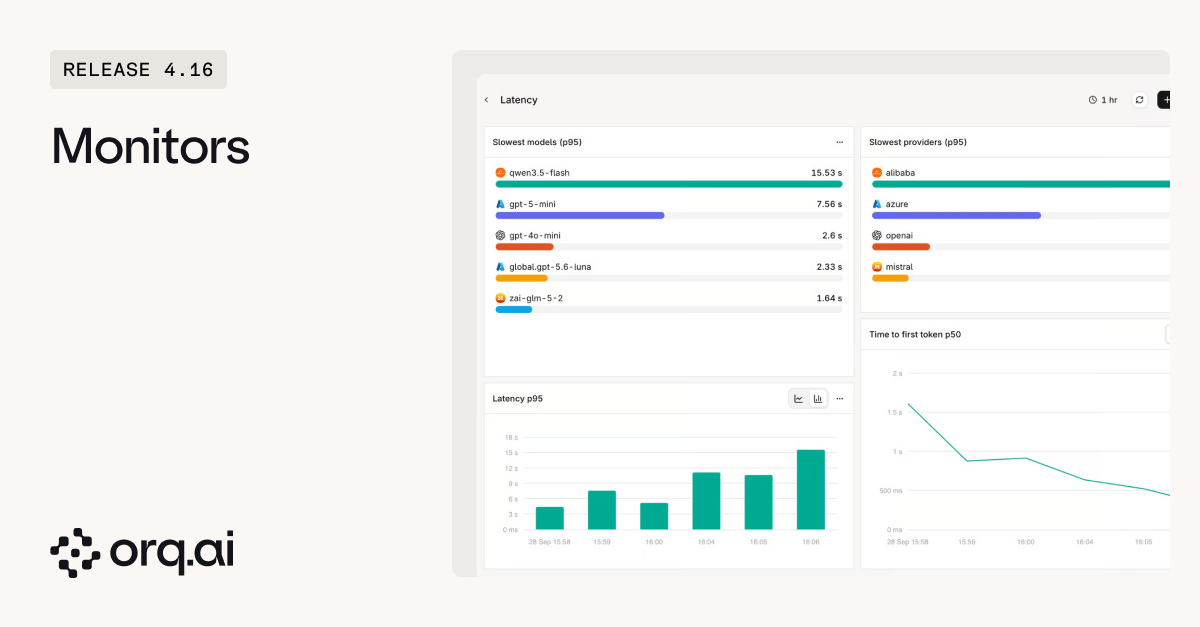
- Start blank or from a template: Create a Monitor from scratch, or start from GenAI overview, Cost analysis, Latency, or Evaluator quality and edit from there.
- Any measure, split any way: Pick a measure such as
LLM cost,Latency p95, orGuardrail block rate, filter it, and split it by Model, Provider, Project, Agent, or Tool. A live preview updates as the widget changes. - Six visualizations: Line, bar, and area charts, top lists, tables, and big numbers, with target lines, totals, and percentages.
- Alert from a widget: Create alert opens the Alerts form with the widget’s metric, filters, and Project filled in. A target line becomes the alert threshold, and the alert goes out through any Notifier: email, Slack, or a webhook.
- Workspace or Project scope: Admins publish workspace-wide Monitors. Members without edit access see dashboards read only.
Build a first dashboard from the Monitors guide.
v4.16.0
The rebuilt Traces page turns any attribute or metadata field into a filter or a column, and the activity chart updates with every query. Debugging a slow or failing request starts from a query instead of paging through a fixed table.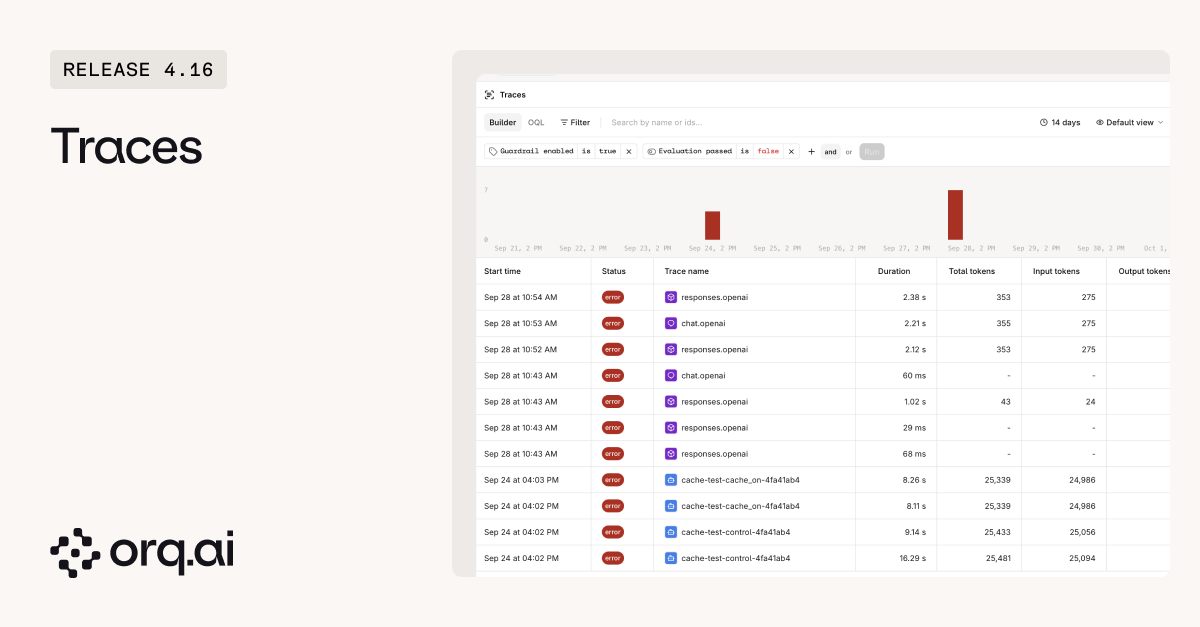
- Filter on any field: Filter Traces by status, model, duration, or any attribute and metadata field in the workspace, or switch to OQL and write the query as a pipeline.
- Activity chart that follows the query: The chart counts successful and failed traces for the current search and filters. Click a bar to zoom into that window and step back with one click.
- Configurable columns: Show any attribute or metadata field as a column, then reorder, resize, and rename columns. HTTP status, evaluation outcome, guardrail, and finish reason cells are color coded.
- Saved views carry over: Views from the previous Traces page move to the new one automatically. Filters, columns, and time range live in the URL, so a link shares the exact list.
Start with the Traces guide.
v4.16.0
Orq.ai now has a dark theme.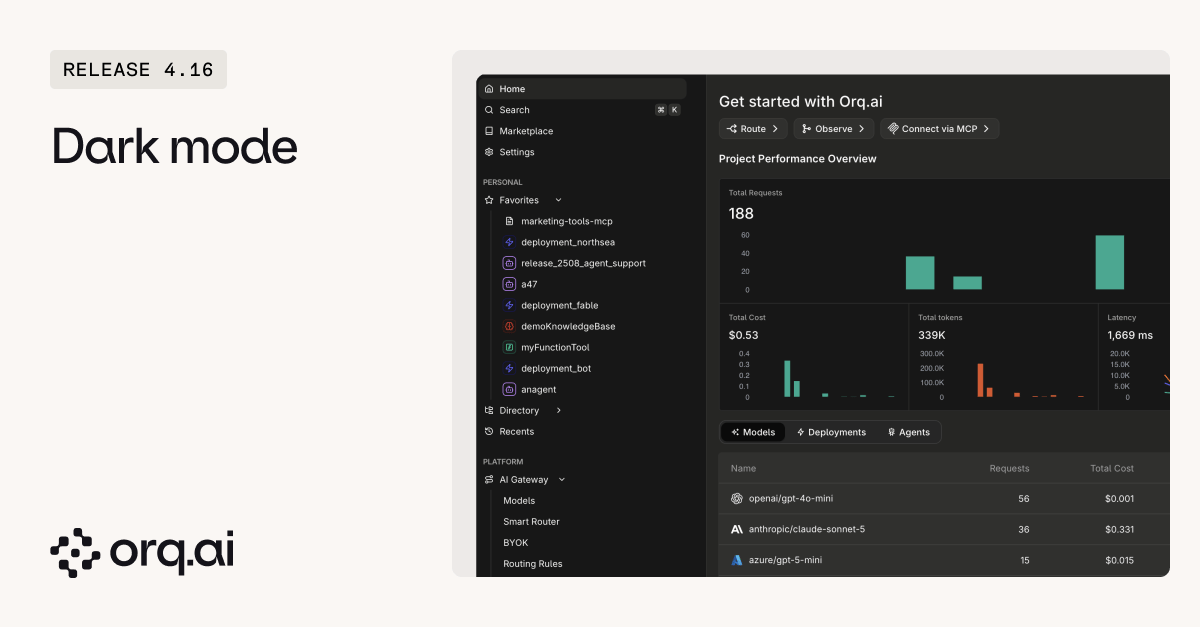
- Where to change it: Pick the theme from the user menu or the personal profile.
- Saved as a preference: The selected theme is stored as a user preference, so it stays set on the next visit.
v4.16.0
- Decisions API (Beta):
POST /v3/router/decisionsanswers yes/no, multiple-choice, and scored questions about any text or JSON state in one call, returning one structured answer per question with probabilities and a confidence. Runs natively on OpenAI GPT-6 Luna andtypesafe/jev-latest, and through structured outputs on a set of small chat models. Up to 10 fallback models with retries per model keep a decision from failing on one provider. - Logs (Beta): Send OpenTelemetry logs to
/v2/otel/v1/logsand search them in the new Logs Explorer, with facet filters, saved views, and the same query bar as Traces. Open the trace a log belongs to in one click, or query logs through the Logs API. - Evaluator webhooks: Subscribe to the
llm.evaluatorevent to receive every Evaluator result, with the evaluated input and the outcome, as soon as the evaluation finishes. Route scores to an alerting or logging system without polling. - Explanations on Python Evaluators: Return
{"value": 0.7, "explanation": "Missing fields: [d, g, j]"}and the explanation shows next to the score on the trace, the same way LLM judge reasoning does. - Trace conversation endpoint:
GET /v3/traces/{trace_id}/conversationreturns a trace as an ordered list of user, assistant, and tool messages. - PII redaction in more languages: Detection covers more languages and every EU jurisdiction’s national identifiers. Enable all and Disable all toggle every entity in one click.
- Keyboard navigation:
Cmd + ,opens Settings, and the Command Bar finds any sidebar section by name.
v4.16.0
- Usage per API key on Home: The Home usage table has an API Keys tab with requests, cost, and tokens for each key over the selected timeframe. Requests made with a user sign-in, such as Playground runs, are grouped as User sign-in.
- Cache tokens in Traces: The span properties panel shows cached and cache-write tokens, so cache hits show up next to the cost.
- Variant and version on every span: Each LLM call in a Deployment or Agent run carries the variant or Agent version that produced it, shown in the span panel. Automations can target those spans without custom metadata.
- Azure cached token pricing: Azure models price cached tokens, so cost reporting reflects cache hits.
- Clearer Alert emails: Trigger emails state the condition in plain words, such as “LLM cost above $50.00 over the last hour”, and name the workspace and Project the alert belongs to.
- Plugins on Evaluators and Guardrails: Evaluators and Guardrails follow the Plugins configured on the call, so PII redaction applies to them too.
- Tool schema editor: Tool JSON schemas are validated per parameter type, with errors that point to the problem and ready-made snippets.
- 30-minute streaming model calls: A streamed model request through the AI Router can run for up to 30 minutes instead of 10, enough for long extended thinking generations. An explicit
limits.max_execution_timestill takes precedence. - Audit Logs date filter: Narrow Audit Logs to a date range.
v4.16.0
Orq Skills run inside Claude Code, Cursor, Codex, Gemini CLI, and other coding agents, and work against an Orq.ai workspace. Install them with
npx skills add orq-ai/assistant-plugins.- Recommend Evaluators (new): Ask “which evaluators does this agent need?” and
orq-recommend-evaluatorsreads the Agent instructions, tools, and the last 14 days of Traces, then suggests up to five Evaluators. Each one cites the instruction line or traces behind it. It reuses an existing Evaluator before proposing a new one, and creates or attaches one only after approval. With fewer than 20 recent traces, it works from the Agent definition alone and says so. - Evaluator alignment with a jury:
orq-evaluator-alignmentcan test an LLM judge against several models with repeated votes, find the examples they disagree on, and ask a few questions to rewrite the judge prompt.
v4.16.0
New additions to the Model Garden. Browse details on the Supported Models page.
*
claude-mythos-5-1 is not publicly available yet. It requires an Anthropic API key with access to the model, connected through BYOK.v4.16.0
- Gemini Agents on v3: Agents on Gemini models run through
/v3/router/responsesuse the configured thinking budget and the full JSON schema, so reasoning runs and structured output stays within the schema. A request-levelreasoning.effortnow overrides the Agent’s thinking setting. - Router and providers: Azure receives prefixed OpenAI model IDs, custom OpenAI-compatible reasoning models accept token caps, and DeepSeek and Qwen reasoning item IDs stay stable while streaming.
- Traces: Anthropic OpenTelemetry token totals are correct, Managed Agent traces open, and filters use the same timezone as the list.
- Routing rules: A weighted model at 0% stays at 0% after save, and a blank condition value no longer matches every request.
- API keys created through the API: Keys created with a management key through
POST /v2/api-keyscan be assigned to a Project, with the permissions and expiry set in the request. - Usage and budgets: Decisions and OCR traffic counts toward usage and budgets, and budgets can be added to any Identity or API key regardless of list size.
- Datasets: A Dataset created with
pathandproject_idlands in the requested Project.